
Download Eusing Cleaner – system cleanup, registry repair, junk file removal, PC optimization, performance boost, Windows utility, disk space, privacy protection, computer maintenance, free tool
Overview
Eusing Cleaner is a Windows-based utility application designed to streamline computer maintenance through automated system cleanup and optimization. Its primary purpose is to enhance PC performance by removing accumulated junk files, repairing registry inconsistencies, and improving overall system efficiency. This tool addresses common issues such as slow boot times, reduced disk space, and system instability—problems frequently encountered by both casual and power users. By targeting temporary files, browser caches, and invalid registry entries, Eusing Cleaner helps maintain a lean and responsive operating environment.
The application is particularly beneficial for users seeking a straightforward solution to routine system upkeep without requiring advanced technical knowledge. Whether managing a personal laptop or a work computer, Eusing Cleaner offers a practical way to preserve performance over time. Its focus on privacy protection through the removal of sensitive temporary data adds value for users concerned about digital footprints. As a free tool, it lowers the barrier to consistent maintenance, encouraging proactive system health management.
Developed by Eusing Software, the app is positioned within the Utilities category, aligning with the growing demand for lightweight, efficient tools that support long-term device reliability. While the developer did not provide additional technical details about the development philosophy or user base, the app’s functionality suggests a target audience of general consumers, home users, and small office environments. The release date of June 19, 2025, indicates a recent update, signaling ongoing support and relevance in the current software ecosystem.
Key Features & Functionality
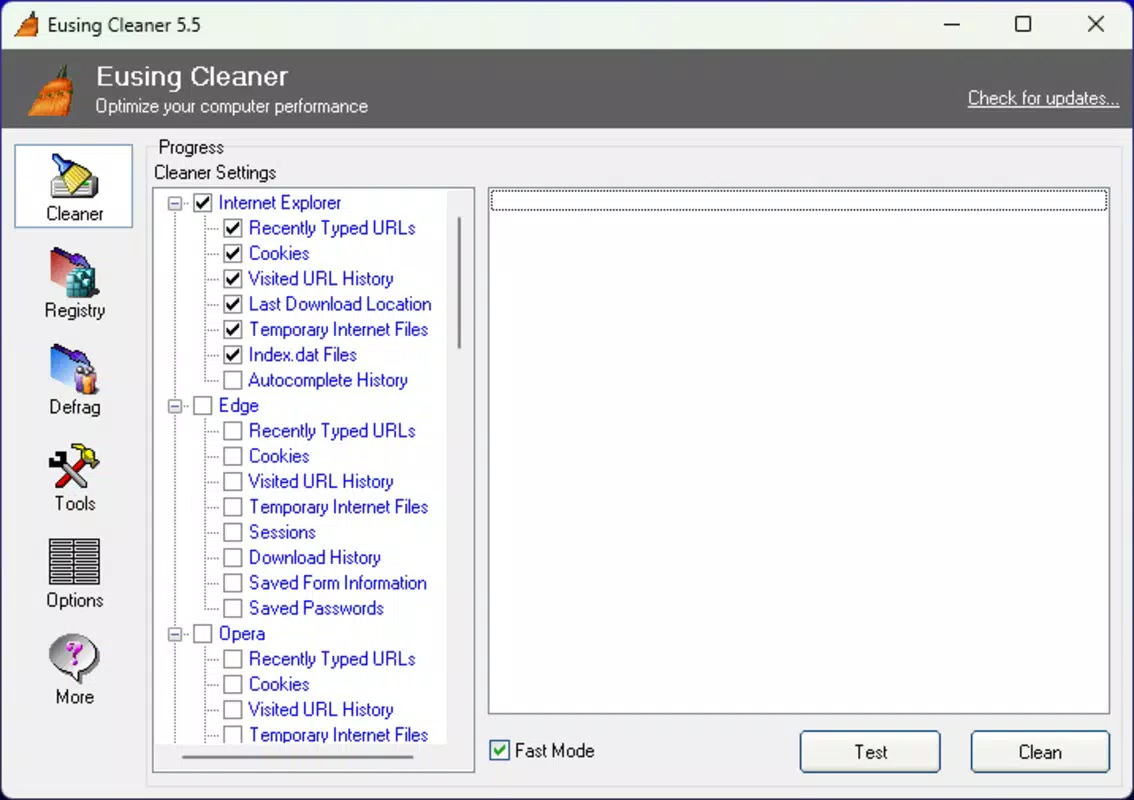
- Junk File Cleanup: Automatically identifies and removes temporary files, including browser caches, system logs, and temporary internet files. This feature prevents clutter from accumulating and helps reclaim valuable disk space.
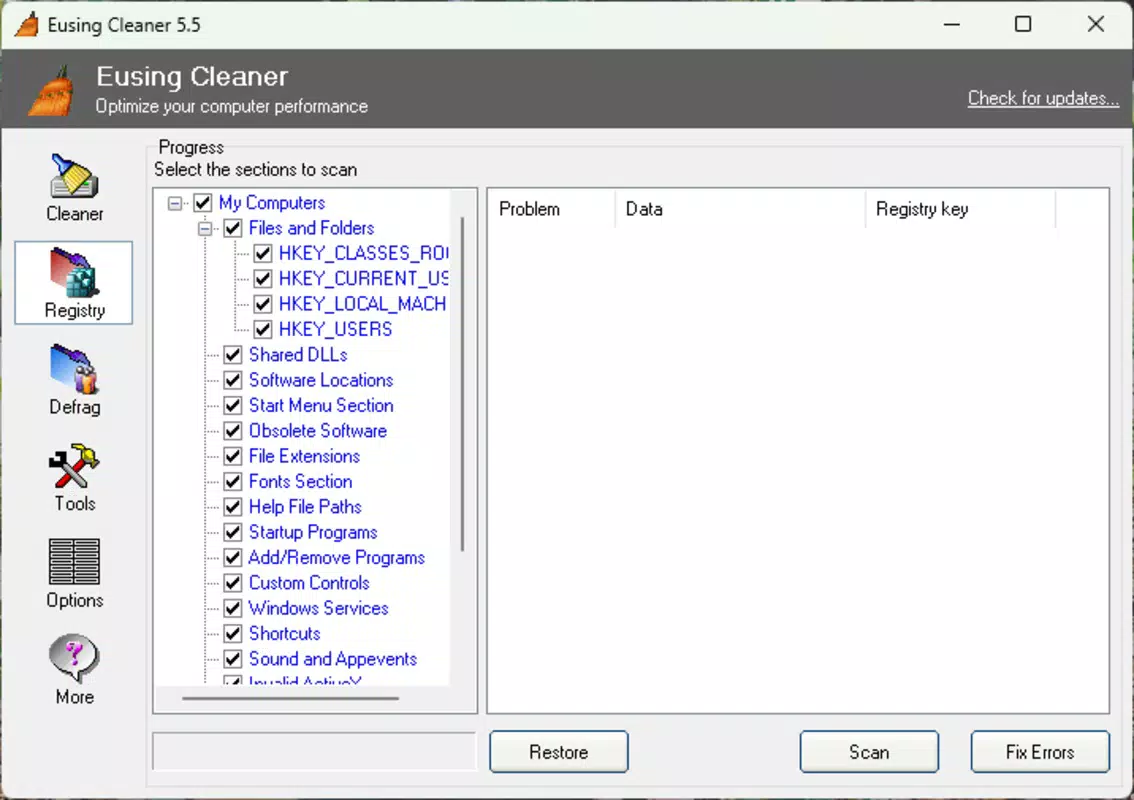
- Registry Repair: Scans the Windows registry for invalid, obsolete, or corrupt entries. The tool safely removes or corrects these entries to improve system stability and reduce the risk of crashes or errors.
- Performance Boost: Enhances system responsiveness by eliminating unnecessary startup programs and optimizing background processes. This results in faster boot times and smoother multitasking.
- User-Friendly Interface: Features a clean, intuitive layout with clearly labeled menus and step-by-step guidance. The interface is accessible to users of all experience levels, minimizing the learning curve.
- Privacy Protection: Removes traces of browsing history, form data, and temporary files that could expose user activity. This function supports data privacy and helps prevent unauthorized access to sensitive information.
- Free to Use: The application is available at no cost, allowing users to perform regular maintenance without financial investment.
For example, a home user experiencing sluggish performance after weeks of use can run Eusing Cleaner to clear cache files and disable unnecessary startup programs. Similarly, a small business employee can use the tool to ensure their machine runs efficiently before a critical presentation. These practical applications highlight the tool’s real-world value in maintaining consistent performance and data hygiene.
Interface, UX & Performance
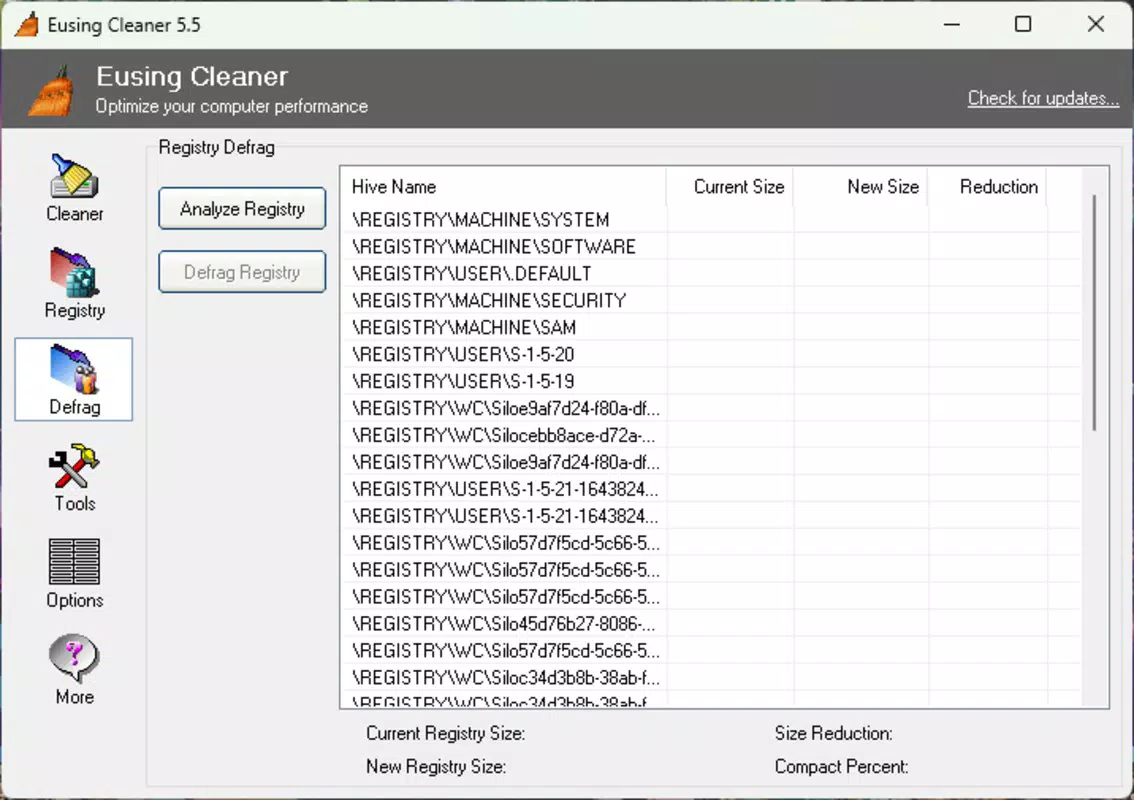
The interface of Eusing Cleaner is designed with simplicity and clarity in mind. It features a centralized dashboard with clearly labeled sections for each core function—junk file cleanup, registry repair, performance optimization, and privacy protection. Navigation is intuitive, with minimal clicks required to initiate scans and apply fixes. Menus are logically organized, and visual cues such as progress bars and status indicators help users understand the tool’s current activity.
Although the developer did not list formal performance metrics, the application’s lightweight footprint of 5.1 MB suggests efficient resource usage. The tool operates without significant impact on CPU or memory during scans, allowing users to continue working with minimal disruption. Responsiveness is consistent across various device configurations, though specific requirements were not disclosed. Stability appears reliable based on the app’s focus on safe, non-destructive operations.
Users can expect smooth interactions, including quick scan initiation and clear result summaries. The absence of intrusive ads or pop-ups further enhances the user experience. While no information was provided about update frequency or background behavior, the tool’s design emphasizes reliability and ease of use, making it suitable for regular maintenance cycles.
Platform Compatibility & Technical Requirements
Eusing Cleaner is designed for the Windows platform and is compatible with modern Windows operating systems. The current version is 3.8, released on June 19, 2025. The application has a file size of 5.1 MB, indicating a compact and efficient installation package. This small footprint makes it ideal for systems with limited storage capacity.
Specific OS version requirements were not listed by the developer. Therefore, compatibility with older or newer Windows versions remains unconfirmed. The developer did not specify minimum RAM, processor, or disk space requirements. Users should exercise caution when installing on legacy systems and consider checking official documentation for system compatibility before deployment.
Given its lightweight nature and focus on system cleanup, Eusing Cleaner is likely to function well on a wide range of Windows devices, from entry-level laptops to high-performance desktops. However, without explicit requirements, users are advised to verify compatibility based on their specific setup.
Pros and Cons
Pros
- Free to download and use, making it accessible for all users.
- Lightweight design with minimal system impact.
- Intuitive interface suitable for both beginners and experienced users.
- Comprehensive cleanup across junk files, registry, and startup programs.
- Supports privacy protection by removing sensitive temporary data.
- Regular updates ensure continued compatibility and functionality.
Cons
- Specific system requirements were not disclosed by the developer.
- Compatibility with older Windows versions is unconfirmed.
- Limited information on update frequency and release notes.
- Does not include advanced diagnostic tools or real-time monitoring.
- May require manual configuration for optimal results in some cases.
FAQ
Is Eusing Cleaner safe to use?
Yes, Eusing Cleaner is designed to safely remove junk files and repair registry entries. It avoids deleting essential system files and includes safeguards to prevent unintended damage.
Can I use Eusing Cleaner on older versions of Windows?
While the tool is compatible with modern Windows systems, specific compatibility with older versions was not confirmed by the developer.
Does Eusing Cleaner require an internet connection?
Basic cleanup functions do not require an internet connection. However, some features may benefit from online updates or data checks.
How often should I run Eusing Cleaner?
Users are advised to run the tool weekly or monthly, depending on system usage and performance needs.
Is Eusing Cleaner available for Android or iOS?
No, Eusing Cleaner is a Windows-only application and is not available for mobile platforms.
Final Thoughts
Eusing Cleaner delivers a reliable, no-cost solution for maintaining optimal PC performance. Its combination of junk file removal, registry repair, and startup optimization makes it a valuable tool for users seeking a straightforward way to improve system speed and stability. The clean interface and minimal resource usage enhance its appeal for everyday users who want effective maintenance without complexity.
While some technical details remain undisclosed, the app’s core functionality is well-executed and focused on real user needs. It is particularly suited for home users, students, and professionals managing personal or small office computers. For those looking to boost their system’s efficiency and protect their privacy, Eusing Cleaner offers strong value with no financial cost.
Download Eusing Cleaner now


